
SimpleSentinel vs Screen Time
SimpleSentinel vs Screen Time is not a choice between them. SimpleSentinel runs on Apple's own Screen Time framework and adds what Apple leaves out, so everything Apple gives you keeps working.
The table below puts Apple's built-in Screen Time next to SimpleSentinel, feature by feature, from Apple's own settings on a current iPhone and from what the app does today. Where Screen Time already does the job, it says so.
One price, unlimited children and devices. 7-day free trial, billed by Apple.
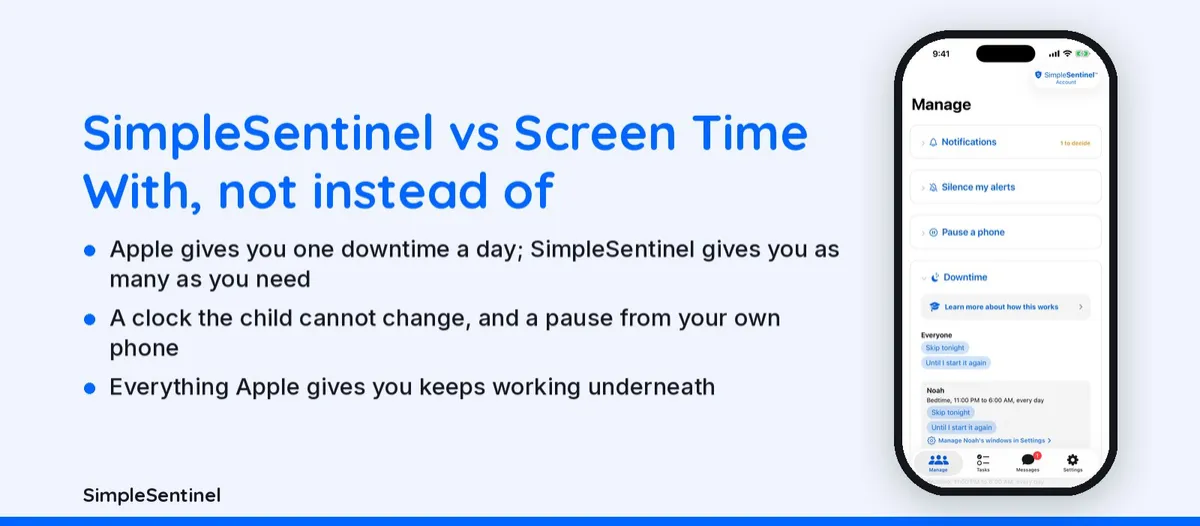
SimpleSentinel vs Screen Time, side by side
Apple's Screen Time as it ships on a current iPhone (Settings > Screen Time, through Family Sharing) next to what the SimpleSentinel app does today, November 7, 2026. Where Screen Time already does the job, it says so.
| Side by side | SimpleSentinel | Apple Screen Time |
|---|---|---|
| Where it lives | On your own iPhone, built on Apple's Screen Time framework; every rule for every child in one place. | Built into every iPhone and iPad; set up per child through Family Sharing, in Settings. |
| Price | $9.99 a month or $99.99 a year, every child and every device, Founding Family price for the first 1,000 families (regular $16.99 / $149.99). 7-day trial, billed by Apple. | Included with the phone. |
| Pause the phone right now, from yours | Yes. One tap; lands in seconds, even mid-game; holds through restarts; calls keep working. | No. Schedules only; no instant pause from the parent's phone. |
| Downtime schedules | Yes. As many named windows per child as you need, each on the days you pick, with a heads-up chime. | Yes. One Downtime schedule a day per child. |
| Clock the child cannot change | Yes. Network time on every linked phone, so the date trick does not end a window early. | No. Date and time can be locked under Allow Changes, but there is no network-time lock; the window follows the device clock. |
| Chores that lock the phone until done | Yes. Downtime-until-done or full-lock-until-done; your approval as the only key if you want it. | No. |
| Message that stays until acknowledged | Yes. No Ignore covers the screen until they press Acknowledge; you get a receipt. | No. |
| Emergency alarm through Silent mode | Yes. Both directions. | No. |
| Web filtering | Yes. Allow freely, limit adult sites, allow only your list, or web off; your own allow and block lists; Siri off under a restricted mode. | Yes. Limit adult websites or allowed websites only, with your own lists; Siri stays on unless you disable it separately. |
| App deletion | Yes. Your child asks and you decide, app by app. | All or nothing: Deleting Apps on or off. |
| Kid Mode on your own phone | Yes. Your iPhone follows a child's rules until your Face ID ends it. | No. Guided Access pins one app. |
| One iPad for several children | Yes. Each child signs in with their own code and gets their own rules. | No. One Screen Time setup per device. |
| Sitter page | Yes. A personal link that works on any phone, on or off on a schedule. | No. |
| Reads messages or tracks location | No. Never. | No. Screen Time does not read messages; location is Find My, separate. |
| Everything Apple gives you | Keeps working: Screen Time, Ask to Buy, Find My, content ratings. | Is the baseline. |
| SimpleSentinel runs on Apple's Screen Time framework, so this is "with" and "without", not "instead of". Apple's own guide: Use parental controls on your child's iPhone or iPad. Corrections: [email protected]. | ||
What Screen Time gives you
Screen Time is built into every iPhone and iPad and costs nothing. Through Family Sharing it gives you one Downtime schedule a day per child, App Limits by category, Content and Privacy Restrictions with web content filtering, Ask to Buy, Communication Limits, and a Screen Time passcode. For many families that is enough, and it is where every parent should start. SimpleSentinel does not replace any of it.
What SimpleSentinel adds
A pause you can send from your own phone right now, in one tap, that lands in seconds and holds through restarts. As many named downtime windows per child as you need, school hours and bedtime both, each on the days you pick, with a heads-up chime. A clock locked to network time, so the trick of sliding the time back to end downtime early stops working. Chores that lock the phone until they are done. A message that stays on their screen until they acknowledge it. An emergency alarm that sounds through Silent mode. Kid Mode for your own phone, one iPad for several children, and a sitter page on any phone.
The doors it closes
Screen Time has no clock lock, so a child can change the date to end a window early; SimpleSentinel keeps network time on every linked phone. Apple's switch for deleting apps is all or nothing; with SimpleSentinel your child asks and you decide. Siri can answer questions and show images without opening any app; under a restricted web mode SimpleSentinel switches Siri off on the child's device. Screen Time gives you one downtime a day; SimpleSentinel gives you as many as the day needs.
Price, and what stays the same
Screen Time is free with the phone. SimpleSentinel is one plan with every feature for unlimited children and unlimited devices, $9.99 a month or $99.99 a year at the Founding Family price for the first 1,000 families, which never goes up while you stay subscribed, after a 7-day trial, billed by Apple. It never reads what your child types, watches or browses, and does not track location. Screen Time, Ask to Buy, Find My and content ratings all keep working underneath it.
Pricing
Founding Family (First 1,000 Families)
7-day free trial. Unlimited children and devices.
$9.99/mo
or $99.99/yr
About 28 cents/day for every device & child.
Your price never goes up as long as you stay subscribed.
Regular Price
7-day free trial. Unlimited children and devices.
$16.99/mo
or $149.99/yr
About 41 cents/day for every device & child.
Compare to A locked-down phone @ $1,000/yr per child.
© 2026 Jubilee Industries LLC. SimpleSentinel™ is a trademark of Jubilee Industries LLC. Patent pending.


