
Parental controls not holding after an iOS update
If your parental controls stopped holding after an iOS update, you didn't do anything wrong. Apple's Screen Time rules are switches with no backup: nothing checks them later and nothing tells you when one resets. SimpleSentinel keeps a copy of every rule and re-applies it every time the child's phone wakes it up.
Of 6,731 App Store reviews of parental control apps, 133 describe controls failing around an update, and 18 name the iOS update itself. This week's r/ios threads say the same about iOS 27: a child who can turn limits off because the passcode is never asked, and Screen Time blocking every Apple app while insisting nothing is blocked. Here is why it happens and what holds.
One price, unlimited children and devices. 7-day free trial, billed by Apple.
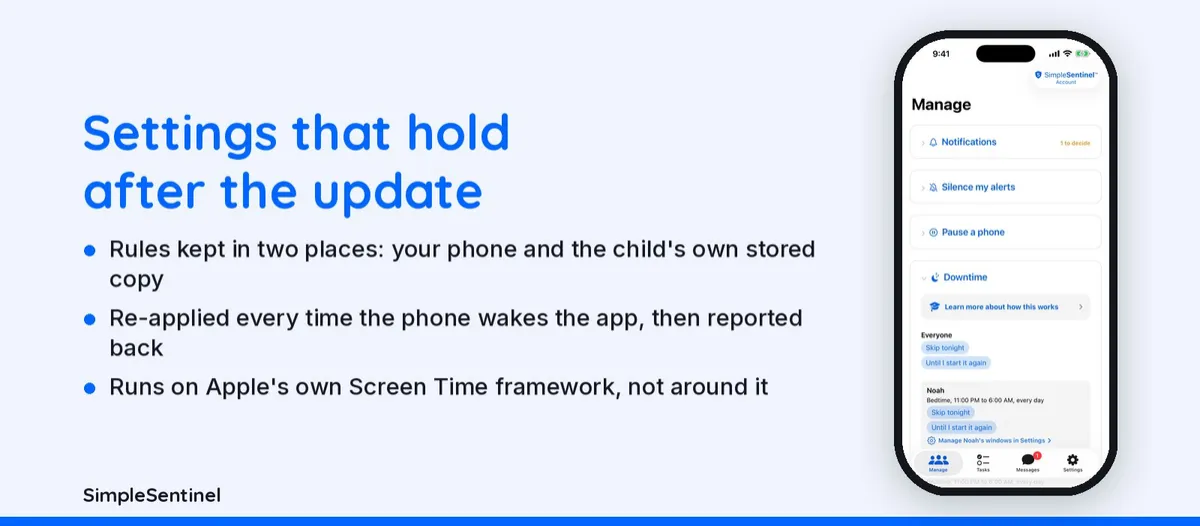
Why Apple's settings drop and why re-applied rules hold
Why Screen Time settings don't survive an update
Screen Time is a set of switches a parent flips once on the child's phone. There's no second copy anywhere and nothing that checks them afterward. When an update changes a default, moves a setting, or resets a toggle, the rule is simply gone, and nobody is told. The common one is the location switch behind the clock lock: it comes back on, the child can change the date, and Downtime ends when they say it ends. The schedule still looks fine from your phone the whole time.
Why SimpleSentinel's rules hold
SimpleSentinel's rules are written on your phone and kept in two places: on the server and as the child phone's own stored copy. They're applied through Apple's own Screen Time framework, not around it. A re-apply step runs every time anything wakes the app or its extensions: every launch, every downtime window boundary, every notification, every background refresh. It reads the real clock, sets again any rule that dropped from the stored copy, then corrects it from the server. After an update the phone restarts, and the next boundary or launch re-applies everything.
The child's phone reports back
Apple never tells you a rule failed. SimpleSentinel's child phone reports what is actually applied and when it last picked up rules, so you see drift on your own phone instead of discovering it a month later. Two honest limits: Apple keeps its own system apps and the Phone app reachable no matter what any app sets, and background pickup happens within hours, not instantly, on a phone where nobody opens the app.
Three doors that reopen after an update, and how each is closed
The clock: Settings > General > Date & Time, and the Setting Time Zone switch under Location Services; SimpleSentinel's downtime runs on a clock the child can't change. Siri: a web-locked phone can still ask Siri; SimpleSentinel denies Siri under every downtime window. Delete and reinstall: a fresh install forgets local limits; SimpleSentinel's rules live on your phone and return on the child's next check-in. After any iOS update, open the app on the child's phone once; it re-applies and reports.
Pricing
Founding Family (First 1,000 Families)
7-day free trial. Unlimited children and devices.
$9.99/mo
or $99.99/yr
About 28 cents/day for every device & child.
Your price never goes up as long as you stay subscribed.
Regular Price
7-day free trial. Unlimited children and devices.
$16.99/mo
or $149.99/yr
About 41 cents/day for every device & child.
Compare to A locked-down phone @ $1,000/yr per child.
© 2026 Jubilee Industries LLC. SimpleSentinel™ is a trademark of Jubilee Industries LLC. Patent pending.


