How to pause your child's phone in one tap (and what still works)
Dinner is on the table. The homework has been "almost done" for forty minutes. Somebody earned a consequence. There are moments when the right answer is not a schedule or a limit, it is: the phone stops, now, until I say otherwise.
Apple's Screen Time does not have that button. SimpleSentinel does. This is what it does, what it leaves open on purpose, and how it holds.
What Screen Time offers instead
Screen Time works in schedules and allowances. Downtime runs on a clock. App limits run on a daily budget. To stop a phone right now with Screen Time, you would open the child's settings, add a downtime window that starts a minute ago, remember to remove it later, and hope the child does not have the passcode. It is a workaround, and most parents do not bother.
The one-tap pause
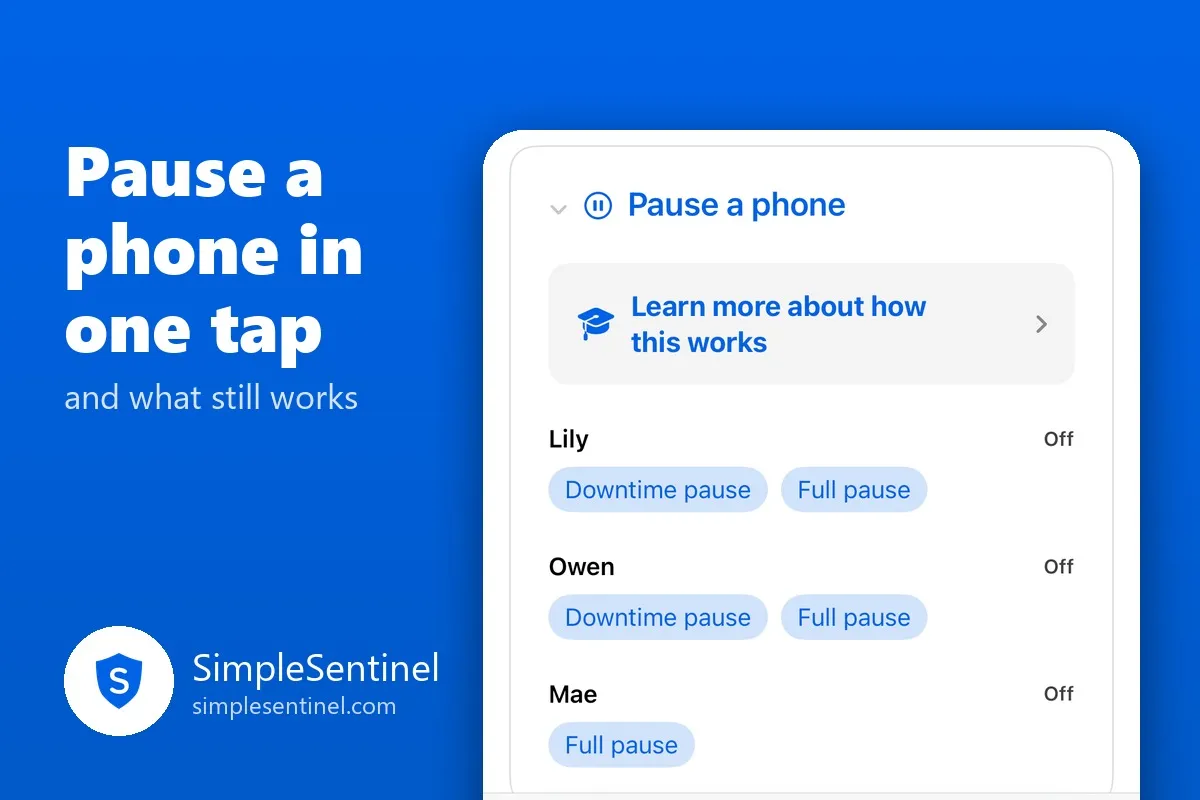
On the Manage tab of the parent's app is a card called Pause a phone. One row per child, and two buttons under each:
- Downtime pause. The child's own downtime rules start now: the apps you always allow stay open, everything else closes. Good for homework.
- Full pause. Everything closes, including the always-allowed list. A running game is closed, a live call is cut, the web goes dark. Good for dinner and for consequences.
Tap one. The child's phone shows a banner and a short descending chime so they know it was you and not a glitch. Tap Resume when you are ready, and a cheer plays on their end.
The pause reaches the phone in seconds, even in the middle of a game, because it rides on a notification that applies the moment it arrives rather than waiting for the app to wake up.
What still works, on purpose
- Phone calls. Apple keeps the Phone app reachable through any pause. Your child can always call you.
- SimpleSentinel itself. The child can still message you and send a request, and your messages still reach them. A paused phone is not a silent one.
- Emergency SOS and 911. Nothing a parent sets touches those.
Everything else waits.
What a pause does not do
It does not end on its own. A pause stays until you lift it, through a restart, through a scheduled downtime window ending, through the next morning. Only your tap resumes it. If you resume during a scheduled window, the phone goes back to that window's rules, not past them.
It does not expire at midnight. Temporary allowances do ("for today" ends tonight, always), but a pause is a decision you made and it waits for you.
A sitter you have made active, with pause permission, can pause a phone too. It shows on your card with their name, and it ends tonight unless you resume it first, so a babysitter's dinner pause never becomes tomorrow's mystery.
Why it holds
The child's phone is linked with Apple's own child authorization, so the app cannot be deleted and survives restarts and updates. The pause is applied with Apple's own device-management machinery and read back after it lands, so what your screen says is what the phone is doing. And the clock is held to network time from the moment the device is linked, so moving the hour does nothing.
One tap to stop, one tap to resume, calls always open. That is the whole feature.
Download SimpleSentinel on the App Store: https://apps.apple.com/app/id6799535985