A message your child cannot ignore
"Come home now." Sent at 5:40. Read at 5:41. Answered never. The phone is in their hand; you can see the little dots on a game in your head. Somewhere between a text they can swipe away and a phone call they can decline, parents have been missing a third thing: a message that stays on the screen until it is answered.
Three levels, one box
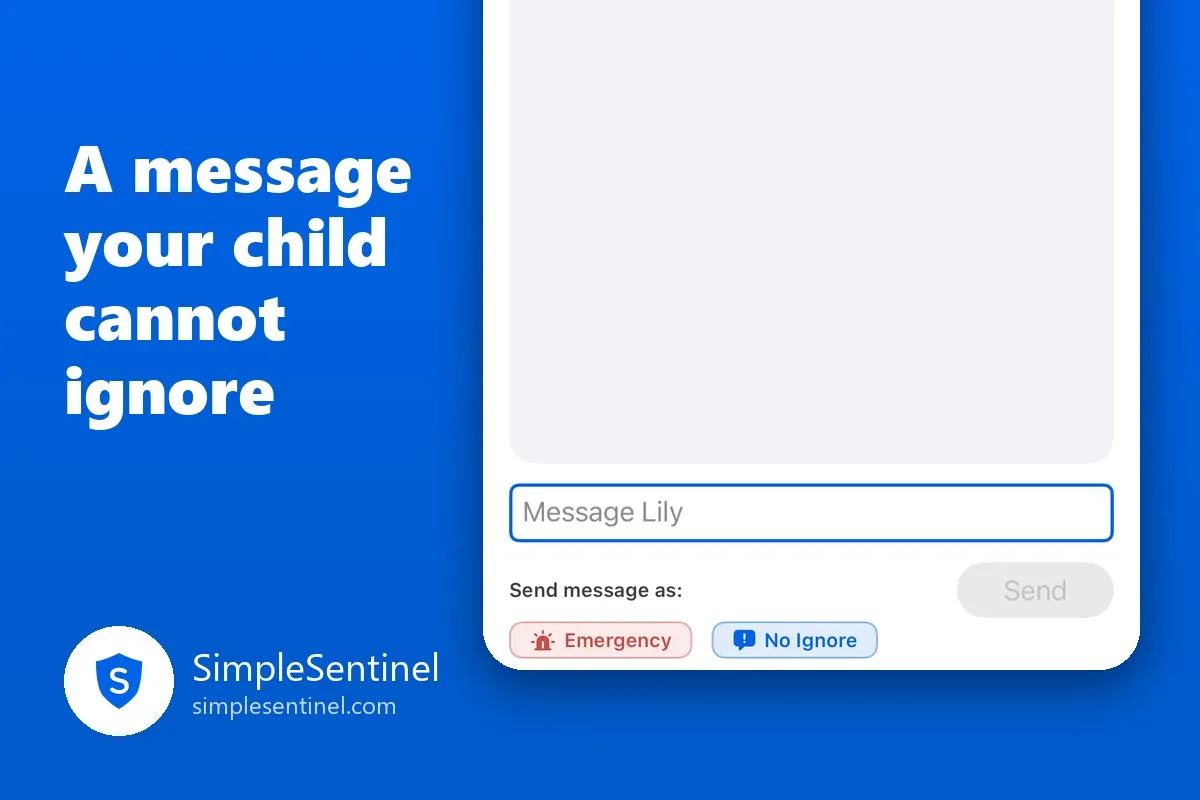
SimpleSentinel's Messages tab is a family chat: you, the other parent, the children, a grandparent or sitter if you let them. Any mix of people can be one group, and everyone in it sees every reply. Under the box is a line that says "Send message as:", and that is where the levels live.
Send is the normal one. Your words arrive as a banner, like any message, and they reach the child during downtime or a pause, because a parent's words are never the thing that gets blocked.
No Ignore is the second. The words cover the child's screen, and they stay there until the child presses Acknowledge. It sounds every ten seconds for up to two hours. When they press, you get a receipt: "Lily acknowledged your message." There is no swiping it away and no "I didn't see it."
Emergency is the third, and the app asks "Are you sure?" before sending one, because it is loud: its own alarm, through silent mode, through every Focus, through downtime and a pause and your own quiet hours. It reaches people, never the emergency services. It is for the moment the house is not where you left it, not for dinner.
What makes No Ignore different from a text
A text competes with everything else on the screen. A No Ignore is the screen. The child can still call you, and can still answer you from inside the cover, so it is not a wall; it is a message that will not be forgotten about.
A few details that matter in practice:
- One at a time. You can have one No Ignore waiting per child. Until it is acknowledged, the chip greys out and says "Waiting on Lily," with a Cancel alert button under it. Nothing stacks and nothing nags twice.
- A cancel is a cancel. If you take it back, the cover comes down and the thread says "Alert cancelled," never "acknowledged." The record is honest.
- A group No Ignore covers each child's phone separately, and the thread says who has acknowledged and who has not.
- Downtime reach is a choice. By default a parent's plain message lands even during downtime. If you have set a child's messaging to wait for downtime to end, the thread says so: "Waiting for Lily's downtime."
Acknowledged means pressed
On every screen, parent's, child's, and the sitter's web page, "Acknowledged" means a person pressed the button. Opening the chat does not count. A banner tapped by accident does not count. A phone left face up on the message does not count. That rule holds in both directions: when a child sends you an emergency, it keeps alarming every parent's phone until one of you presses Acknowledge on it.
It is a small thing to insist on, and it is the whole value of the receipt. "Lily acknowledged your message" means Lily, and a thumb, and a decision.
When to use which
- Running late, dinner is ready, grandma is on the way: Send.
- Come home now, the game can wait, I need an answer: No Ignore.
- Something has happened and I need to reach you this second: Emergency.
The first is for every day, the second for the times that matter, and the third for the times you hope never come. The point of having a louder level is that you rarely need it, and when you do, it works.
Download SimpleSentinel on the App Store: https://apps.apple.com/app/id6799535985